Contents
- Index
Obituary Printing
The program will create an Adobe PDF formatted obituary in 3 different formats, depending on the form of the obituary data.
The 3 formats are:
Obituary in text format: If you've entered the obituary information as text, the resulting printed obituary will contain the obituary text.
Obituary as a scanned image: If the obituary is from an scanned obituary, the resulting printed obituary will contain the image, re sized to fit height wise and will always fit on 1 page.
Obituary in text and photograph: If you have a photograph of the deceased and the text of the obituary, the resulting printed obituary will contain the photograph in the upper left corner followed by the obituary text. The obituary source and publication date will be printed at the bottom of the obituary.
To print the obituary, select the Create Obituary PDF button.
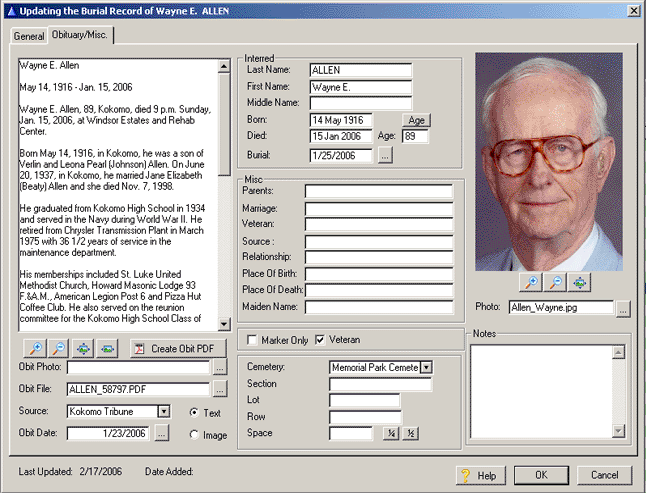
The program will show you the print preview of the obituary. To create the PDF file, select the printer icon at the upper left of the preview screen. The resulting PDF file will be named: Last Name_record ID ( i.e. ALLEN_58797.PDF ). This will result in a file name with no spaces and will be unique.