Contents
- Index
Photos Taken
If you have taken photographs of the tombstones, Photo Matching will make matching to name process very easy.
First, you need to create a list of all your photographs. To do this, selecting File/Maintenance/Photographs Taken will display:
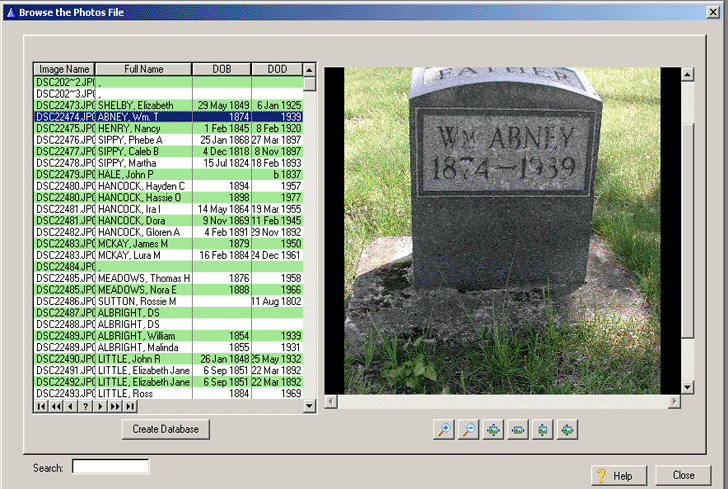
Fig. 4
To create a list of your photographs you must have defined the path to your photos on the Program Setup section described above. When first running the program, the left list box will not contain any records. To create your photograph list, click on the Create Database button.
The program will go to the directory where you have your photographs stored and create a database of all photograph names that have the .JPG file extension. The created list also shows the matched interred name if you have already matched names to photos. This information is handy to see what photos have not been matched to a name. The photograph of the selected photo name is shown on the right.